Building PressBox Workflows
A lot of what PressBox does for a customer runs by itself. A story clears a quality bar and creates a post, a new post pings a Slack channel, an editor gets pulled in to approve something before it goes out. Setting up which of those things happen and under what conditions used to take lots of bespoke configuration.
Over time, the same kind of requests kept coming up, either from customers or from gaps that we ran into ourselves:
Notify a Slack channel when something happens
Ask a person to approve a post before it goes out
Auto-publish or auto-ignore a story based on its score, its tags, or how it was classified
Sync a published post to an external CMS
Call a customer's webhook
Use a different post template depending on a post's content
Trigger, condition, action
We solved the first couple of these the obvious way. Slack notifications became a settings section with a few columns behind it and a branch in the worker that sends them. Auto-publishing by score became another setting, a threshold the curator checked before deciding what to post. Neither was much work on its own, but the requests kept coming as we added other functionality and integrations, and underneath they were all starting to look pretty similar.
Every one of them boils down to the same three steps. Something happens: a story is created, a post publishes, a scheduled time arrives. Maybe you check a condition: is the score high enough? Does it have a certain tag? Then you do something about it: send a Slack message, create or publish a post, call a webhook. Trigger, condition, action.
We could see the rest of the request list coming, and each new ask meant the same skeleton over again: another settings section, another branch in a worker, more code we wrote and owned. When a customer wanted a webhook that fired only for posts with a certain tag, or approvals on one content type but not another, that was us making the change, because the logic lived in our code rather than theirs. We'd be sitting between a customer's idea and it actually running for as long as we kept doing it this way. So rather than build the next one, we built the abstraction that helps build all of them and we gave it to our customers.
What we built
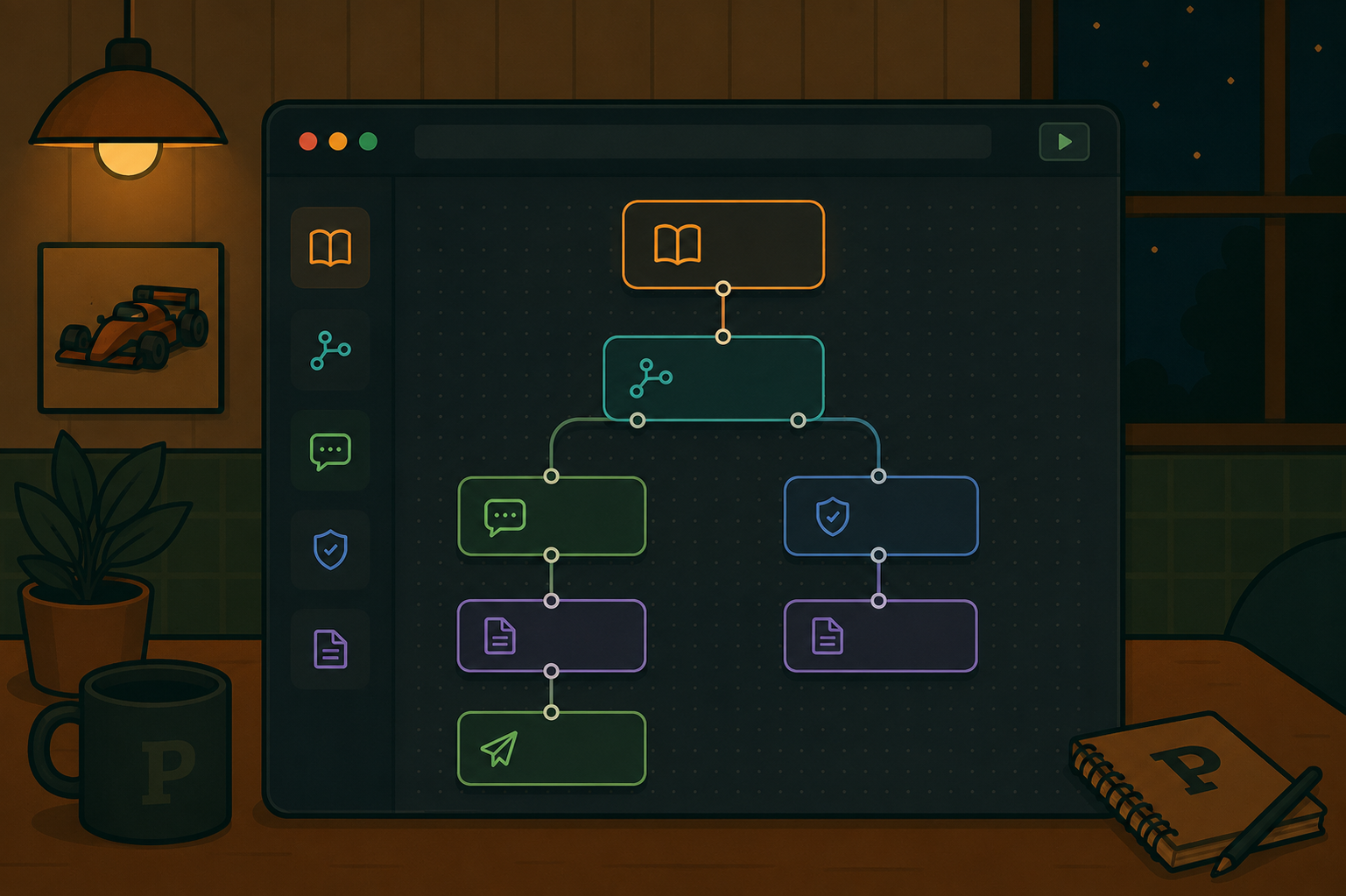
PressBox Workflows! It's a visual builder: you drag nodes onto a canvas and wire them together. There are trigger nodes for the things that can start a flow (a scheduled time, an event/game, new content, a story, a post), filter and branch nodes for the conditions, and output nodes for the actions (send an email, publish a post, notify Slack, request approval, call a webhook). A workflow is just a graph of those, saved as data and run by a scheduler.
Those old requests are now just arrangements of nodes. The auto-publish rule that used to be a pair of number fields on a settings page takes about a minute to build: a story trigger, wired into a filter that checks the score is at least 80, wired into a publish node pointed at your CMS. A Slack ping on every new article is even shorter: a content trigger straight into a Slack node.
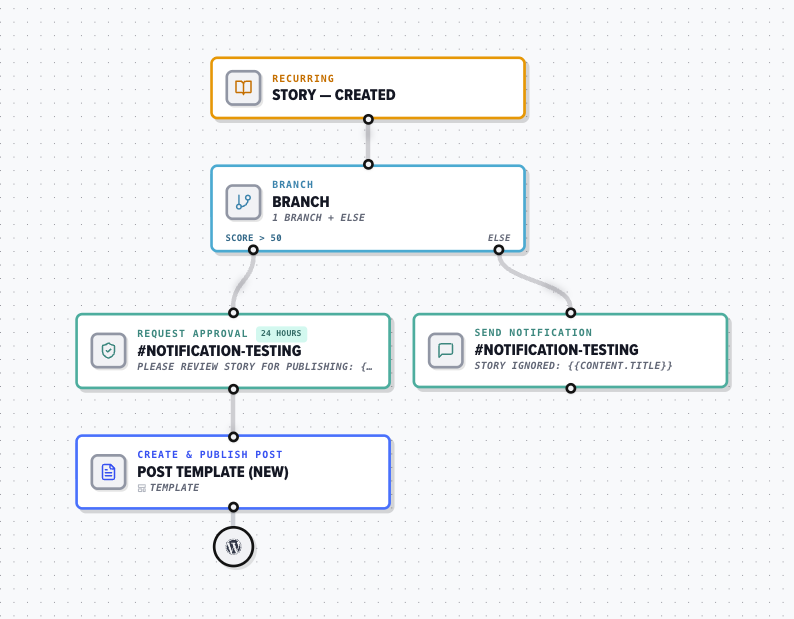
The variations with filtering and branching are where the flexibility really shows. If a customer only wants to auto-publish stories tagged "injuries," that's a second condition on the same filter. If they'd prefer that a person looked at every story with a score between 60–80 before it goes out, that's a branch with an approval node hanging off the lower path. Each of those would have been a change to our code before Workflows, and now it's just the customer dragging in a node. A flow that starts as one toggle's worth of behavior can grow into something a settings page could never have held, and we don't have to ship anything new to support it in PressBox.
How it runs
A workflow is stored as data rather than code. The builder saves what you drew as two lists on the workflow row, its nodes and its edges, so nothing about a particular flow is compiled into the app; it's really just a document that describes what should happen.
Running one means walking that document. An executor starts at the trigger and follows the edges: filters prune the paths whose conditions fail, branches pick a side, outputs do their work. The output nodes fill in their template variables first, so {post.headline} becomes the actual headline before the email or the webhook goes out.
New use cases stay cheap because the node types are a registry. Each one is a small handler with a schema for its config and an execute function:
export interface WorkflowNodeHandler {
  readonly id: string;
  readonly category: NodeCategory;
  readonly configSchema: z.ZodType; // validates this node's config
  readonly outputSchema: z.ZodType;
  execute(params: NodeHandlerParams): Promise<NodeExecutionResult>;
}
Adding a capability is as straightforward as writing one of those and registering it:
register(sendEmailNode);
register(publishPostNode);
register(webhookNode);
// ...one line per node type
There's no new branch threaded through a worker and no schema migration, a capability is a handler and one more line in that list. The config schema earns its keep here too: the same schema that describes a node validates it at save time, which is most of how you keep someone from building a flow that can't run.
Was it worth it?
There is one trade-off worth mentioning. A settings toggle cannot be arranged into something that makes no sense... but a graph definitely can. A flow with no output, a filter that never passes, a branch that quietly drops everything down one side. When we made this transition, the actual work moved out of building the features themselves and into keeping people from building broken graphs, which in practice means validation, sensible defaults, and blocking the save when a workflow won't run properly.
That trade-off has been worth it for us. The clearest sign is that customers now do things we would never have shipped as standalone features, because no one customer's version was worth the engineering on its own. They put together the flow they want and it runs, without a ticket and without us in the middle of it.
And there's more on the way! A settings page grows one toggle at a time, but a builder grows by multiplication: every node we add combines with everything customers have already wired up. When social destinations land, they'll work from day one with every trigger, filter, and approval path already out there. The roadmap for Workflows now boils down to building more node types, which means more things our customers can make happen every day without waiting on us.
PressBox is an AI-powered content platform for media companies, sports leagues, and brands: it monitors the things that matter to you, turns what it finds into coverage, and helps you get it published, workflows and all. If you want to see what that looks like in practice, book a demo!